Arrival
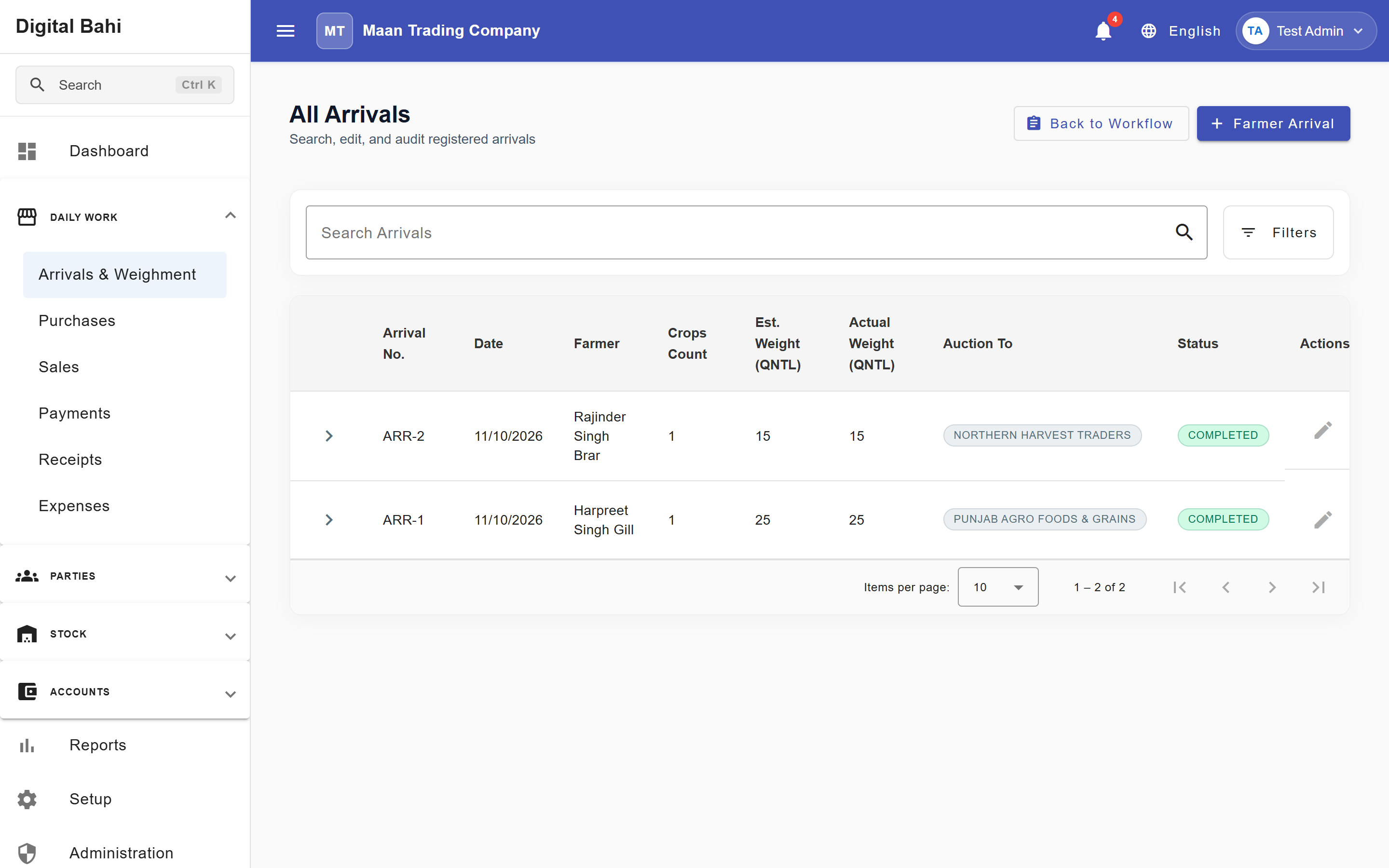
An Arrival records a farmer and one or more commodity lots entering your Mandi workflow. Digital Bahi tracks each arrival item through its operational stages—Arrived, Auction, Weighing, and Completed—and provides a unified Arrival Management workspace to turn weighed lots into Purchase Slips or Sale Invoices.
Digital Bahi keeps auction and Tulai (weighment) details directly on each arrival item; there is no separate standalone Weighment menu.
Before you start
- Create the Farmer and Commodity records in Masters.
- For an External Buyer auction outcome, ensure the buyer exists in Buyers.
- Confirm the arrival date and estimated bags/weight from the physical gate entry slip.
Create an Arrival
- Open Daily Work > Arrivals & Weighment (
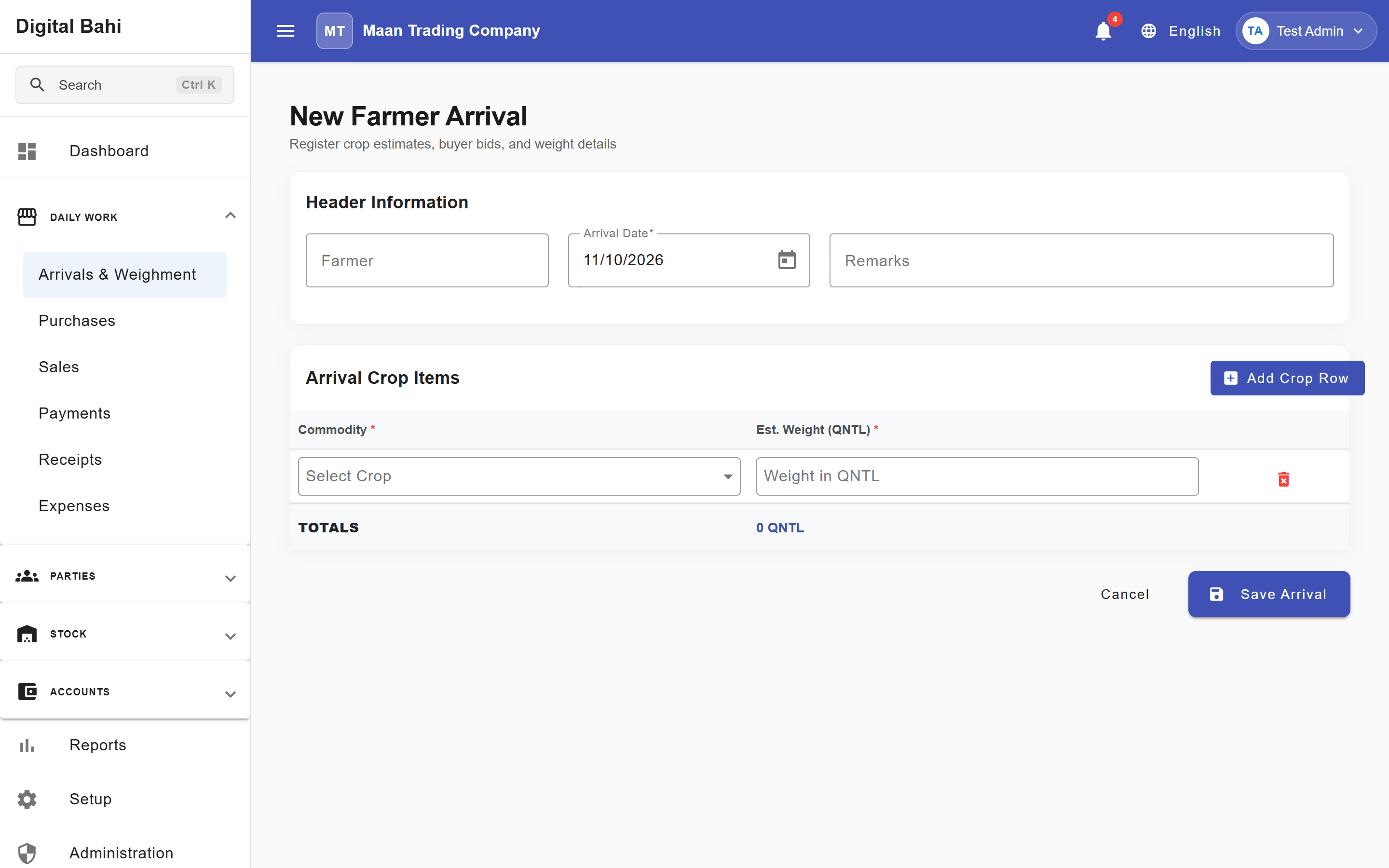
/transactions/arrival-queues) and click + Farmer Arrival (or click All Arrivals to view the historical arrival list at/transactions/arrival). - Select the Farmer (or type to search by name/mobile) and verify the Arrival Date.
- Under Arrival Crop Items, add one or more Commodity items (clicking + Add Item for multi-crop arrivals) and enter their Est. Weight (Qtl) and optional Remarks.
- You can also record the Sold To outcome (
Self (Purchase)orExternal Buyer), Buyer, Auction Rate, and Tulai fields (Actual Bags, Weight/Bag, Loose Weight) right on the same row, or save the arrival now and update auction/Tulai details as the lot moves through the Mandi yard. - Click Create Arrival.
Record Auction and Tulai details
After gate entry, open the arrival item from the list or queue to record its Auction and Tulai data:
- Sold To (Auction Outcome): Choose Self (Purchase) (your business buys the crop for its own stock) or External Buyer (auctioned to another Mandi trader/buyer; requires selecting the Buyer), along with the agreed Auction Rate and Auction Date.
- Tulai (Weighment): Enter Actual Bags, Weight/Bag, optional Loose Weight, and Tulai Date. See Tulai in an Arrival for the exact weight calculation and validation rules.
Managing Arrival Queues
Open Daily Work > Arrivals & Weighment (/transactions/arrival-queues) to track and process lots across three stage tabs:
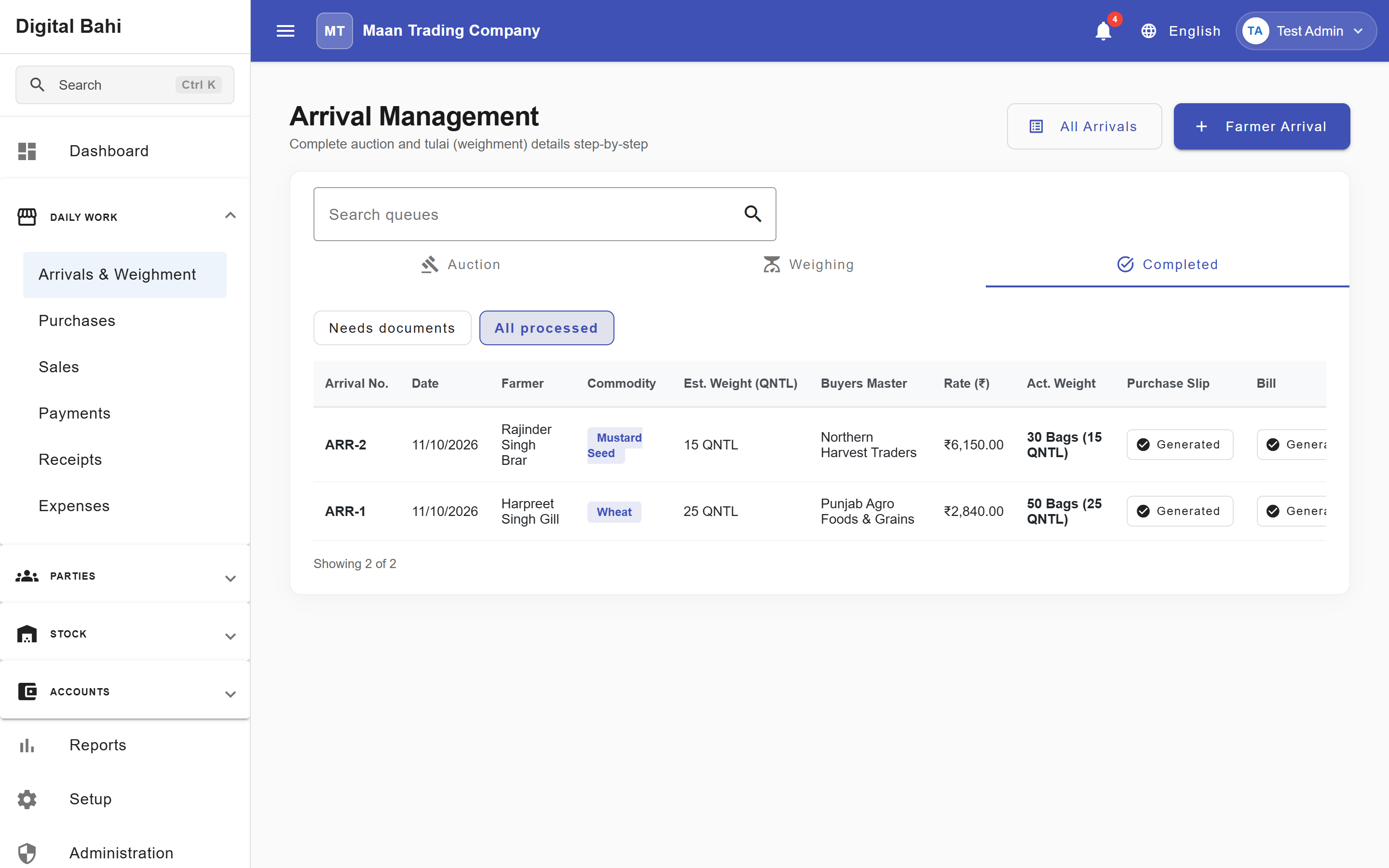
- Auction Tab: Lists newly arrived commodity lots waiting for auction outcome (
Self (Purchase)orExternal Buyer) and rate entry. - Weighing Tab: Lists auctioned lots waiting for physical Tulai (
Actual Bags,Weight/Bag,Loose Weight). - Completed Tab: Lists weighed lots ready for billing, with two quick-filter chips:
- Needs documents: Displays a badge count and filters for completed arrival items that are still missing either a Purchase Slip or a Sale Invoice, with one-click inline action buttons under the Purchase and Bill columns.
- All processed: Displays all completed arrival items regardless of billing status, showing Generated status buttons once linked to a Purchase or Sale.
Downstream Workflow & Locking
- No Automatic Stock or Ledger Impact at Arrival: Recording an Arrival, Auction, or Tulai does not by itself create owned inventory, ledger postings, or cash/bank movements. Those effects occur when you save the downstream Purchase or Sale.
- Document Locking: Once an arrival item is linked to a downstream Purchase or Sale, those arrival lines are locked (
Generated) to prevent accidental edits that would conflict with posted bills.