Settlement
The Settlement module provides a streamlined workflow to settle outstanding balances with a Farmer or Party (Buyer/Trader) by recording a Payment (Money Out) or Receipt (Money In) while viewing their live Current Balance and Resulting Balance side by side.
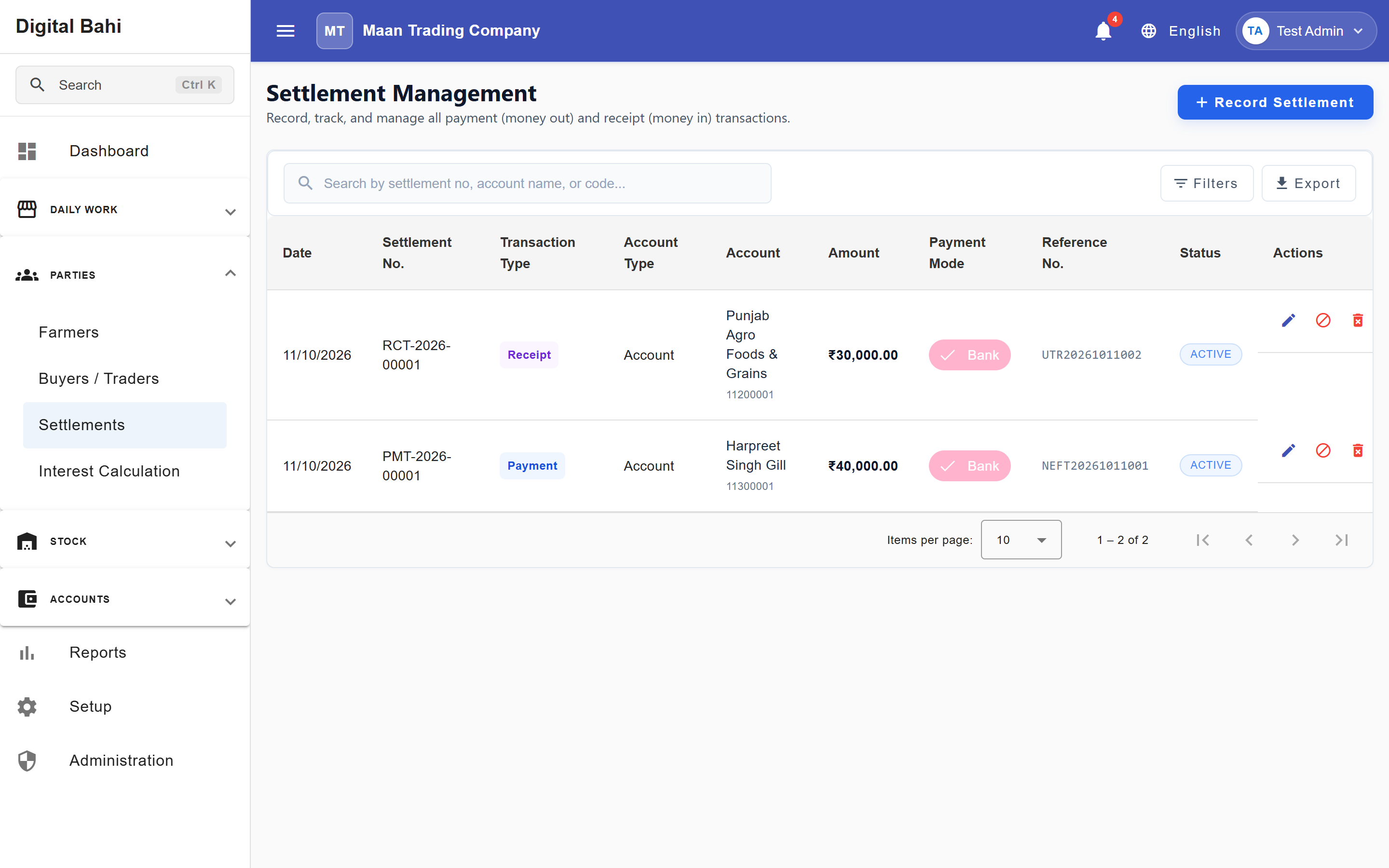
How Settlement Works in Digital Bahi: Settlement posts directly through the unified Payment/Receipt accounting engine against the selected Farmer or Party ledger. It is not a separate bill-matching screen or a handoff to another form—saving a Settlement immediately posts the accounting voucher and updates Cash/Bank and Party balances.
Before you start
- Ensure the Farmer or Buyer / Party exists in Masters.
- If settling via bank transfer, UPI, or cheque, ensure your Bank Account is configured.
How to record a Settlement
- Open Parties > Settlements and click + Record Settlement.
- Select the Settlement Type:
- Payment (Money Out) (money paid out by your business, typically to a Farmer).
- Receipt (Money In) (money received by your business, typically from a Buyer/Party).
- Select the Account Type (
FarmerorParty) and pick the specific Farmer or Party. - Review the Current Balance displayed automatically for that account.
- Enter the Date, Amount (₹) (with Indian comma formatting and live Amount in Words), and Payment Mode (
CashorBankmode with your Bank Account and Reference No. (Cheque, UTR, Txn ID)). - Check the Resulting Balance preview and optional Preview Voucher dialog, then click Save.
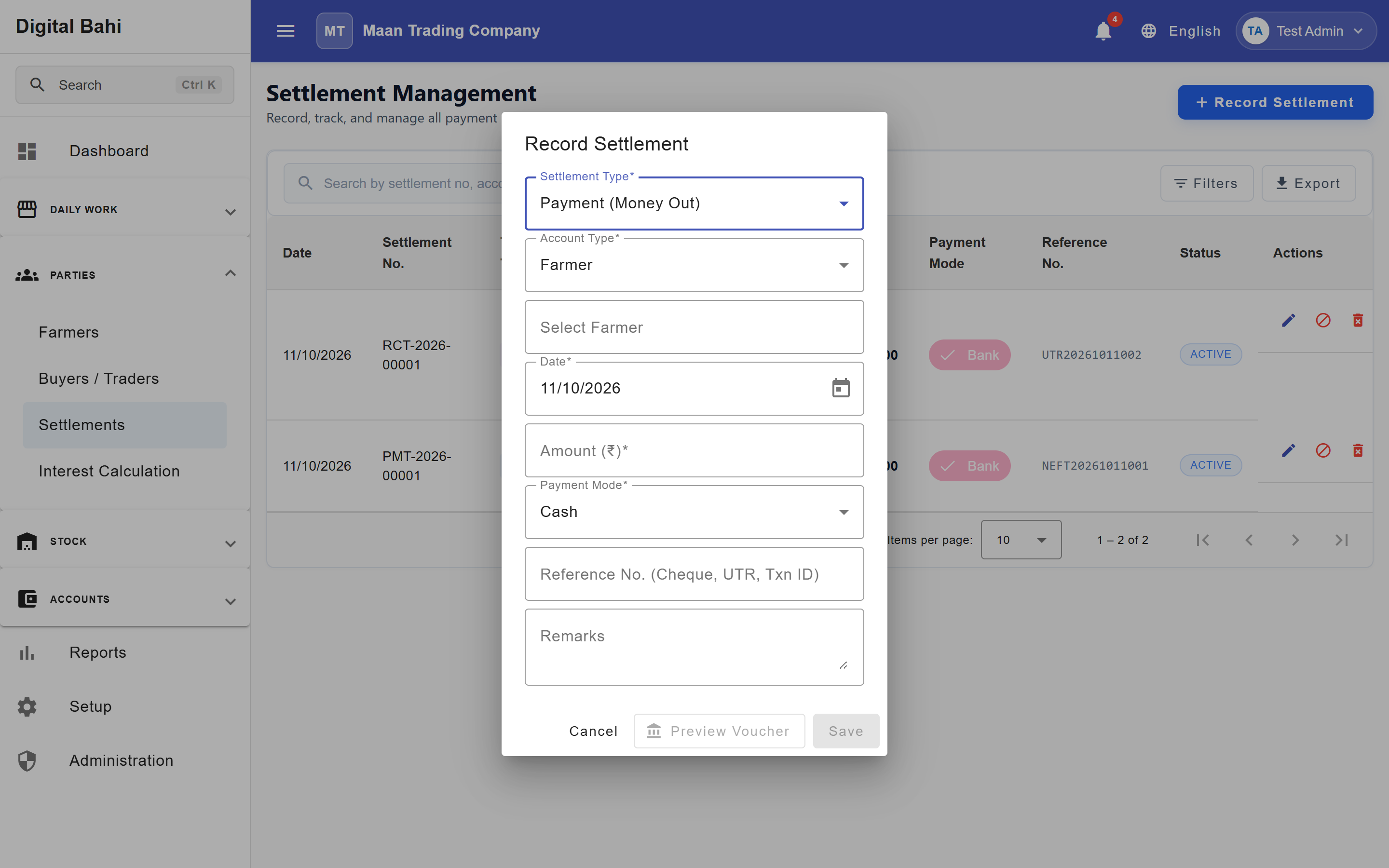
Smart Balance & Safeguard Warnings
- Live Current → Resulting Balance: Before you click Save, the dialog calculates exactly what the Farmer or Party balance will be after the settlement (
Payable,Receivable,Advance, orSettled). - Advance Flip Warning: If you enter a Payment amount greater than what you currently owe a Farmer (or a Receipt amount greater than what a Buyer owes you), Digital Bahi highlights that the settlement will flip the account into an Advance balance so you can catch overpayments before saving.
- Insufficient Cash / Bank Balance Confirmation: If a Payment exceeds the available book balance in the selected Cash or Bank account, Digital Bahi prompts you to confirm before proceeding.
- Preview Voucher: Click Preview Voucher on the dialog to inspect the exact Debit and Credit ledger lines before posting.
Filtering and Exporting the Settlement Register
The Settlement Register supports collapsible filters by Transaction Type (Payment / Receipt), Account Type (Farmer / Party), Payment Mode, and Date Range, and allows you to export the filtered register to Excel or PDF.