View Stock
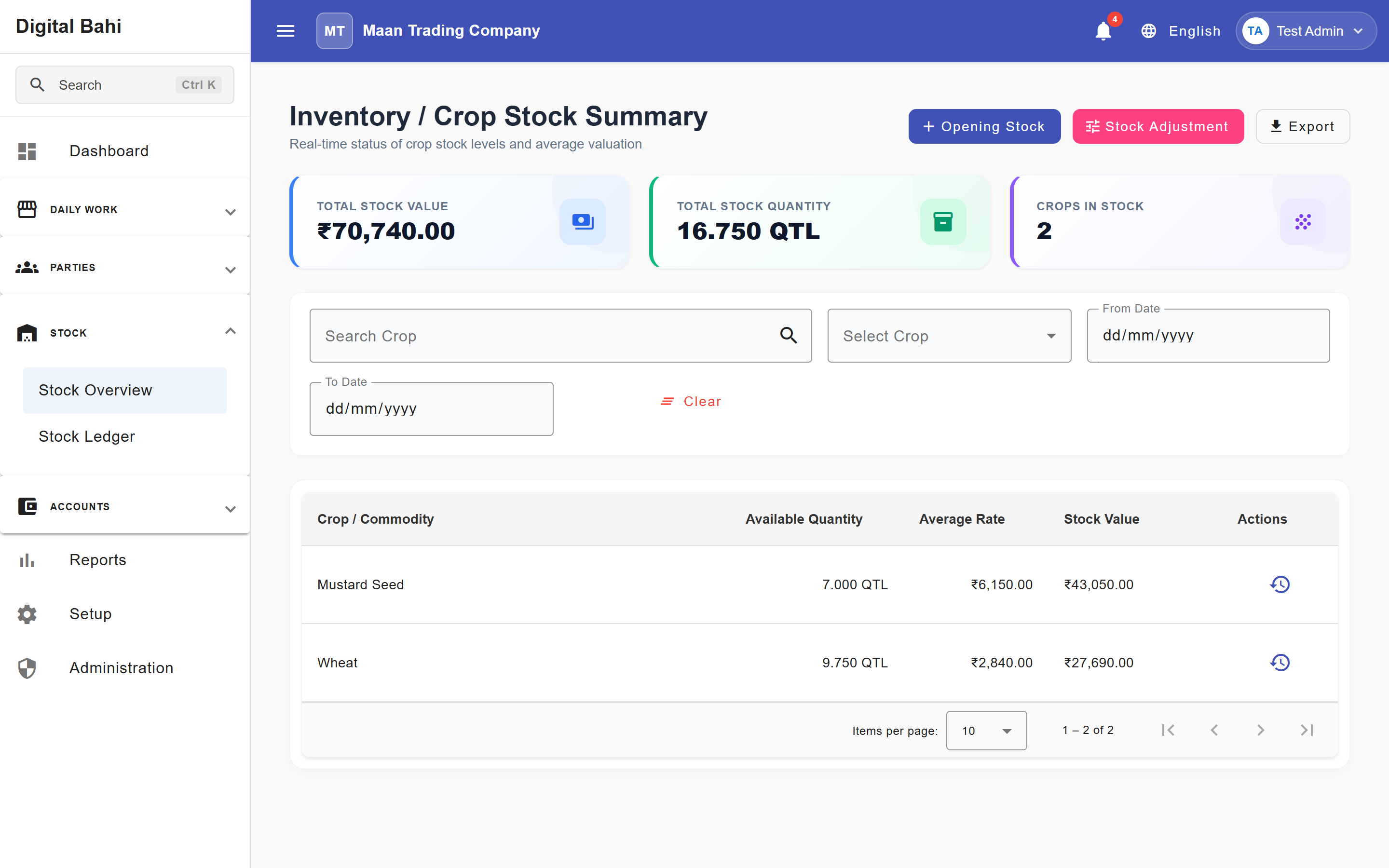
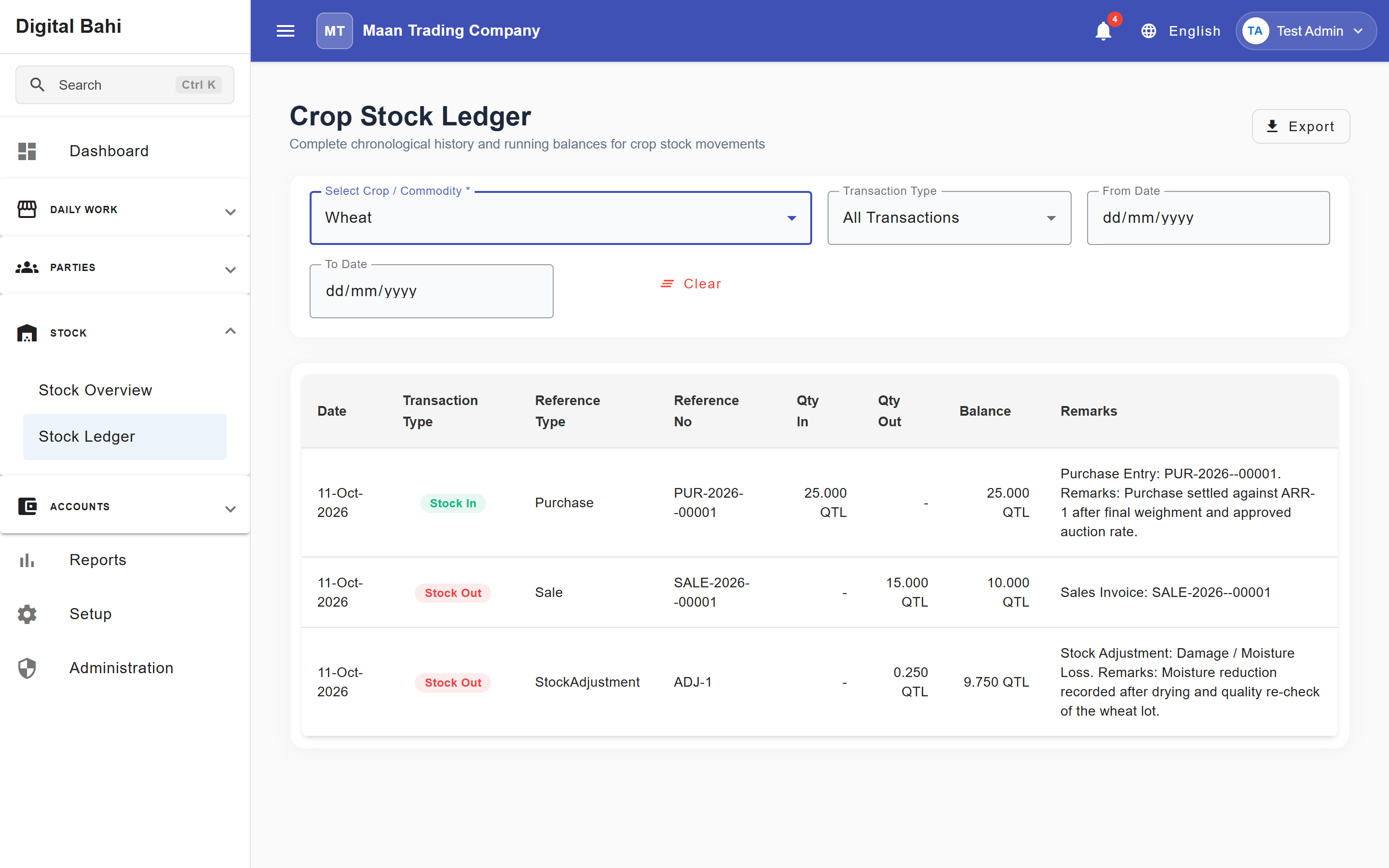
The Inventory / Crop Stock Summary dashboard (Stock > Stock Overview) provides a real-time overview of the commodities currently held by your business, along with a chronological Crop Stock Ledger (Stock > Stock Ledger).
What is this?
This screen summarizes your total available physical inventory, Total Stock Value, Total Stock Quantity (QTL), and Crops in Stock. It aggregates all formal incoming transactions and subtracts all outgoing transactions to show you exactly how much of each crop you currently possess.
When should I use it?
Check this screen daily to understand what you can sell, to reconcile physical warehouse counts against the software, and to monitor the weighted-average rate of your holdings.
How to use it
- Open Stock > Stock Overview from the main menu.
- The grid automatically loads your current consolidated balances along with top KPI summary cards.
- Use the Search Crop, Select Crop, From Date, or To Date controls to narrow down specific commodities or timeframes, or click Export to download the summary.
- Click the Stock Ledger history icon in the Actions column (or open Stock > Stock Ledger) to inspect the chronological stock movement history (
Qty In,Qty Out, and runningBalance) for any crop.
Columns explained
| Column | What it means |
|---|---|
| Crop / Commodity | The specific crop (e.g., Wheat, Mustard). |
| Available Quantity | The current net physical balance of the crop that is free to be sold. |
| Average Rate | The average financial value/cost of the remaining stock based on its purchase history. |
| Stock Value | The total estimated financial value of the available quantity. |
How does stock change?
Digital Bahi automatically manages this dashboard based on your daily business entries:
What increases stock?
- Completing a Purchase or Direct Purchase.
- Adding positive Opening Stock.
- Creating an Increase via Stock Adjustment.
What decreases stock?
- Completing a Sale.
- Creating a Decrease via Stock Adjustment.
(Note: Simply logging a farmer's Arrival or Weighment does not increase your owned stock. Only formal Purchase transactions and direct stock adjustments create owned inventory.)