Journal Vouchers
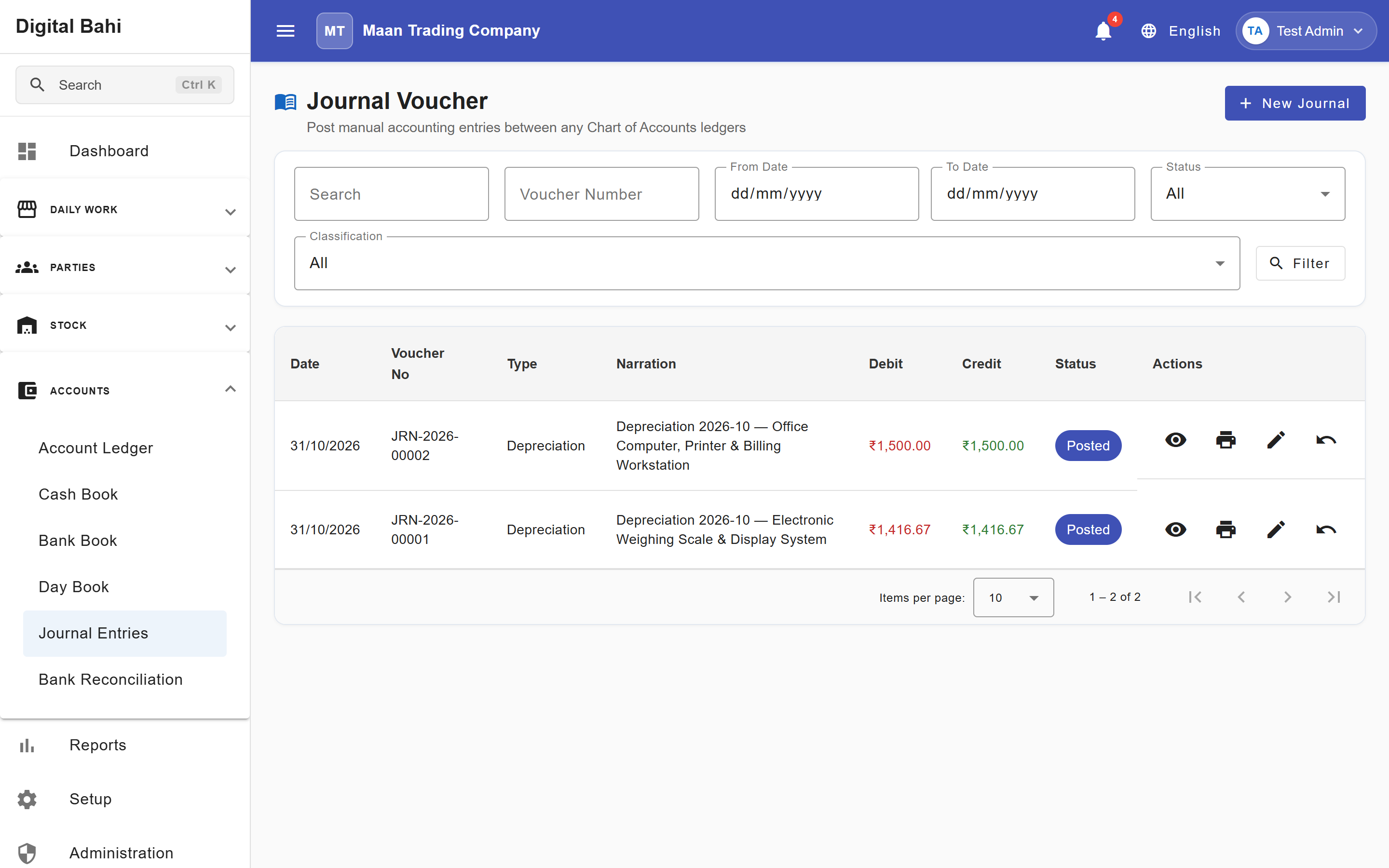
Journal Vouchers (Accounts > Journal Entries, /accounts/journal-voucher) allow accountants and authorized users to record balanced, multi-line double-entry accounting adjustments—such as non-cash adjustments, accrual entries, year-end provisions, or income/expense transfers—directly in the general ledger.
Important Rule: Never create a manual Journal Voucher to "fix" an operational bill (such as a Purchase, Sale, Payment, Receipt, Settlement, or Expense) that has its own cancellation or reversal button. Always use the original transaction's correction workflow so inventory lots, GST registers, and party statements remain synchronized. See Corrections and Reversals.
When should I use it?
Use a Journal Voucher when you need to record a pure accounting entry that does not involve physical inventory movement—such as recording non-cash adjustments, transferring balances between ledger accounts, or recording accruals and provisions.
How to create a Journal Voucher
- Open Accounts > Journal Entries (
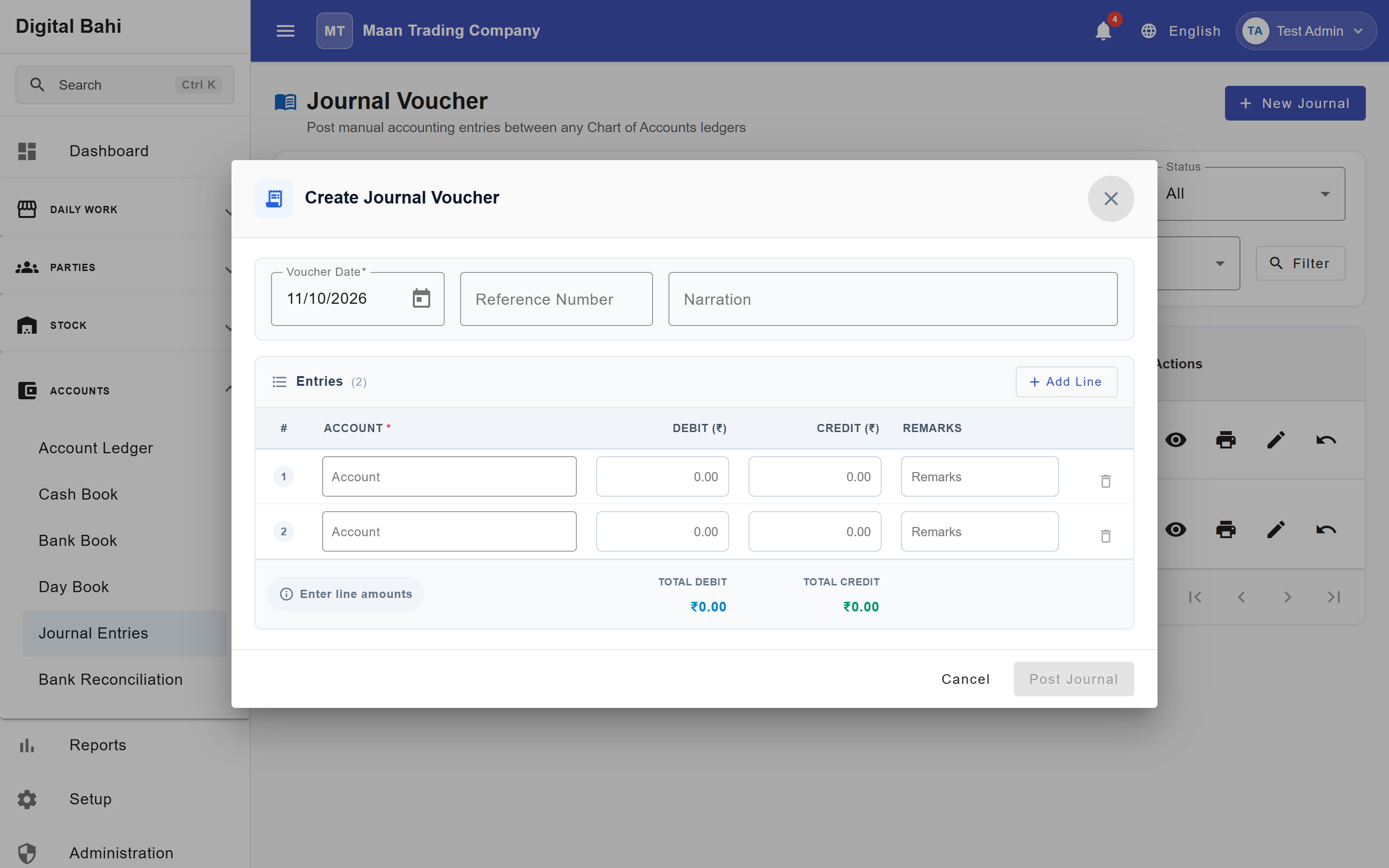
/accounts/journal-voucher) and click + New Journal. - Select the Voucher Date (must fall within an open, unlocked Financial Year).
- Enter an optional Reference Number and a clear Narration explaining the reason for the entry.
- Under Entries, add two or more voucher lines (click + Add Line to add more rows):
- Select the Account for each line.
- Enter either a Debit (₹) or a Credit (₹) amount:
- Amounts format automatically in Indian Lakh/Crore notation (
1,00,000.00). - Hovering over any Debit or Credit cell displays a live tooltip with the Amount in Words in English or Hindi.
- Amounts format automatically in Indian Lakh/Crore notation (
- Enter optional line-level Remarks.
- Check the live footer summary:
- Total Debit must equal Total Credit (the status badge must show Balanced with
₹0.00difference).
- Total Debit must equal Total Credit (the status badge must show Balanced with
- Click Post Journal.
Duplicate-Entry Warning
When you save a voucher, Digital Bahi automatically checks whether another voucher already exists on the same date, in the same Financial Year, with the same voucher type, total amount, and party/farmer. If a match is found, a non-blocking Duplicate Warning alerts you so you can avoid accidental double posting.
Reversing a Posted Journal Voucher
Posted Journal Vouchers are immutable to preserve your audit trail. If a posted Journal Voucher was entered in error:
- Locate the voucher in Accounts > Journal Entries (using the From Date, To Date, Status, Search, or Classification filters).
- Click the Reverse (
↩️) action icon and provide the reversal reason in the confirmation dialog. - Digital Bahi follows strict audit-safe reversal rules:
- The original voucher remains Posted / Locked in your historical register (recording who reversed it, when, and why).
- A new contra voucher with a
-REVsuffix (for example,JV-2026-00012-REV) is posted automatically with all Debit and Credit lines swapped. - A voucher can only be reversed once, and a
-REVreversal voucher cannot itself be reversed. - Reversal is blocked if the voucher belongs to a closed Financial Year, a different Financial Year than today's active year, or a year whose opening balances have already been carried forward.