GST Configuration
Before you begin logging daily Purchases and Sales, ensure your workspace is configured to calculate Goods and Services Tax (GST) accurately. Digital Bahi computes tax automatically based on three core settings: your Business Profile, your Party (Buyer/Farmer) Masters, and your Commodity HSN/SAC Codes.
1. Set your Business GSTIN, State, and PAN
Digital Bahi determines whether a transaction attracts CGST + SGST (intra-state) or IGST (inter-state) by comparing your business State against the State of the Buyer or Supplier.
- Open Business Profile and enter your 15-character GSTIN.
- Digital Bahi automatically derives your State from the 2-digit GSTIN prefix and extracts your 10-character PAN Number, preventing any mismatch between your GSTIN, State, and PAN.
2. Configure Buyer and Supplier GST details
When adding a Buyer or Farmer in Parties:
- Select their State (and District).
- For GST-registered buyers/traders, enable the GST Registered toggle and enter their 15-character GSTIN.
- Just like on your Business Profile, entering a valid Buyer GSTIN automatically populates and validates the Buyer's State and PAN, ensuring B2B invoices pass pre-filing GST compliance checks.
3. Configure Commodity HSN/SAC Codes & GST Rates
Every commodity traded in Digital Bahi is linked to an HSN/SAC Code (Harmonized System of Nomenclature):
- When you import crops using Add from Platform Catalog in Commodities, the standard wholesale Mandi HSN code and applicable GST rate are assigned automatically.
- When creating or editing a commodity manually, select the appropriate HSN/SAC Code. The GST Rate is derived automatically from the HSN catalog and displayed as a read-only field on the commodity form.
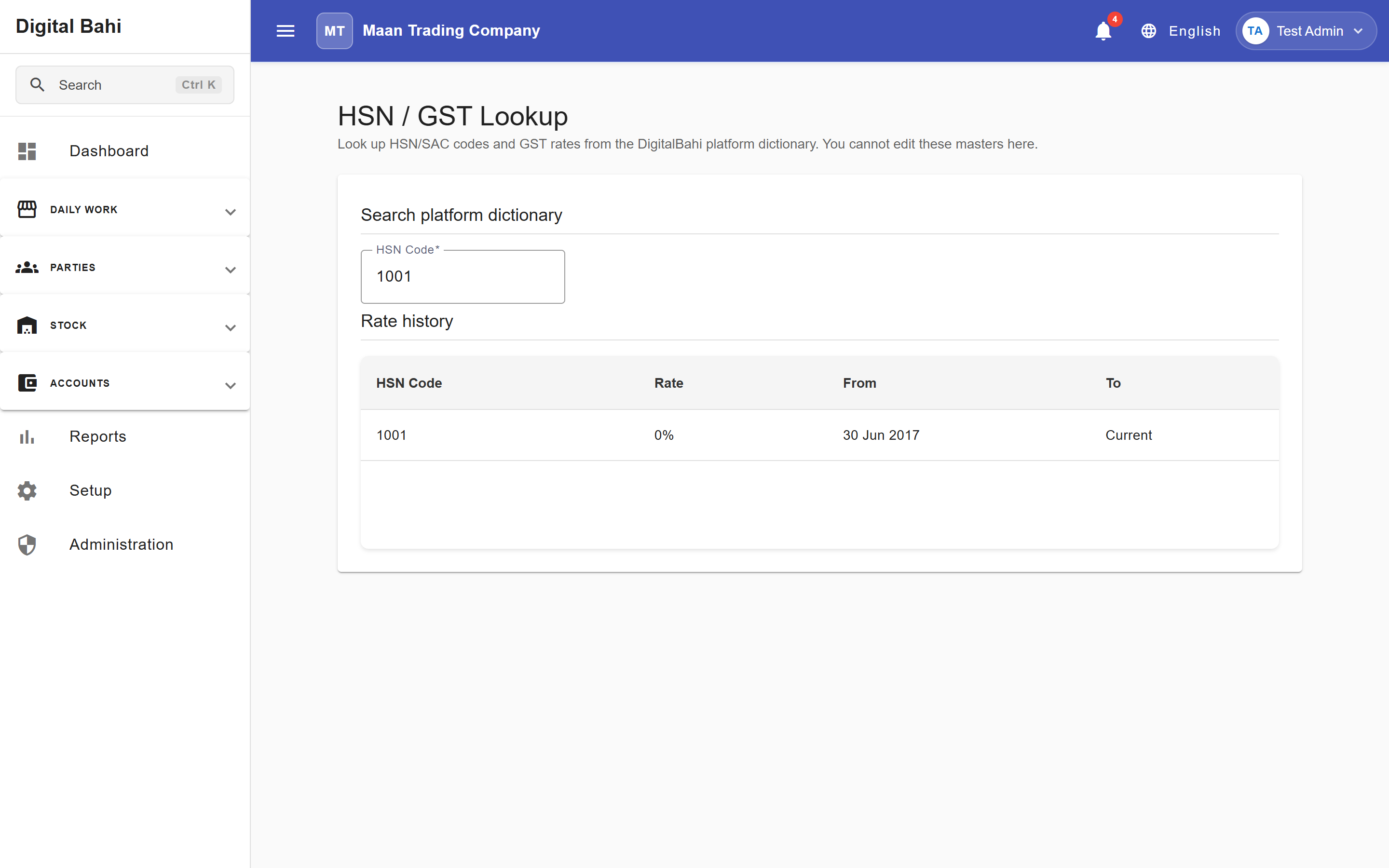
- You can look up platform HSN codes and their effective tax rate history under Setup > Other setup & master settings > HSN / GST Lookup.
Important Note
Digital Bahi calculates taxes strictly according to the State, GSTIN, and HSN/SAC configurations you select. It does not provide legal or tax advisory services. Always consult your Chartered Accountant (CA) or tax advisor to confirm the applicable HSN codes and tax applicability for your commodities.