GST Reconciliation (GSTR-2B & Ledger)
Under Reports > GST Tax, Digital Bahi provides two complementary reconciliation tools for your accountant:
- GSTR-2B Reconciliation (
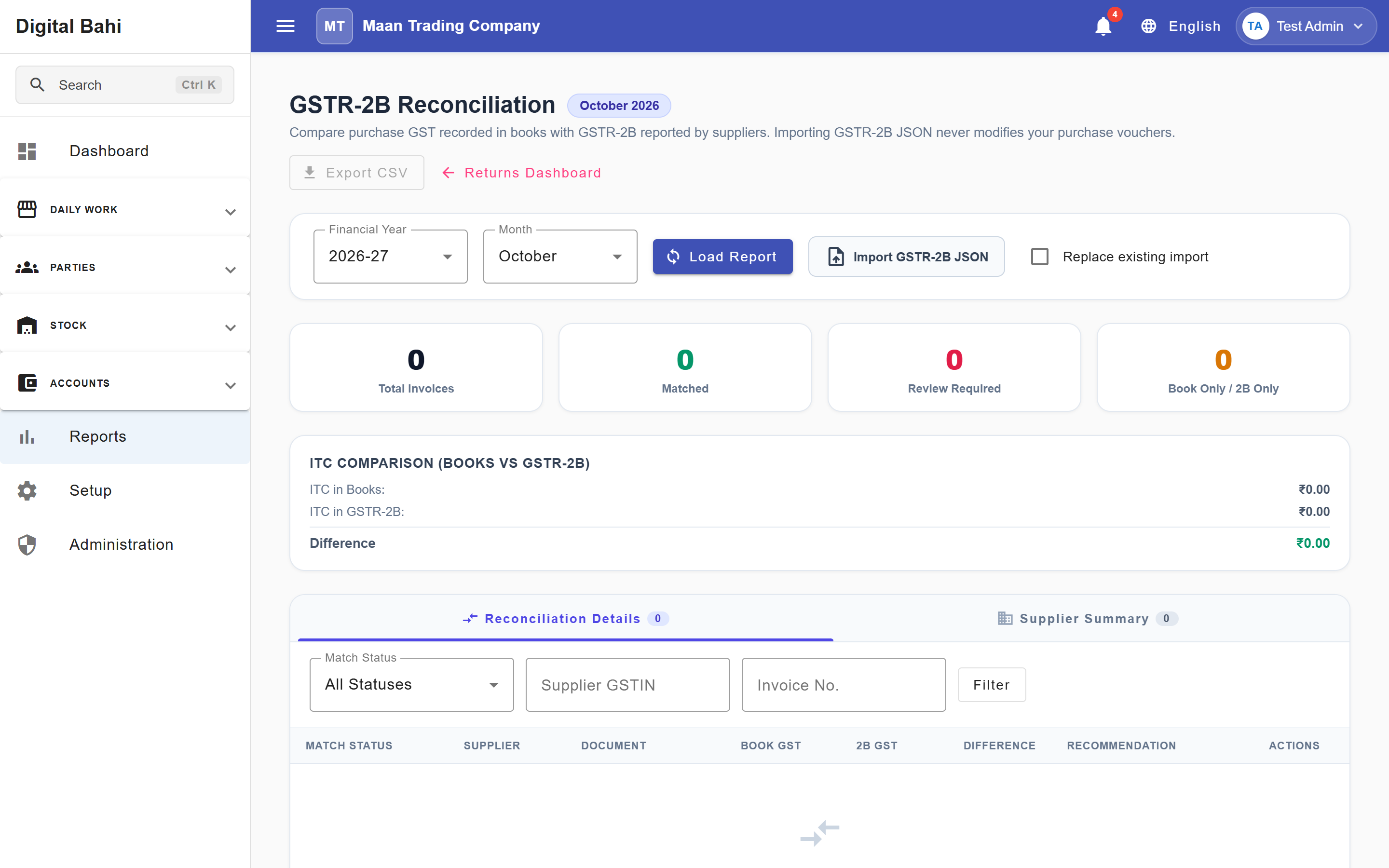
/reports/gst/gstr2b): Compares the Purchase bills recorded in Digital Bahi against the GSTR-2B JSON file downloaded from the government GST portal so you can verify your eligible Input Tax Credit (ITC). - GST Ledger Reconciliation (
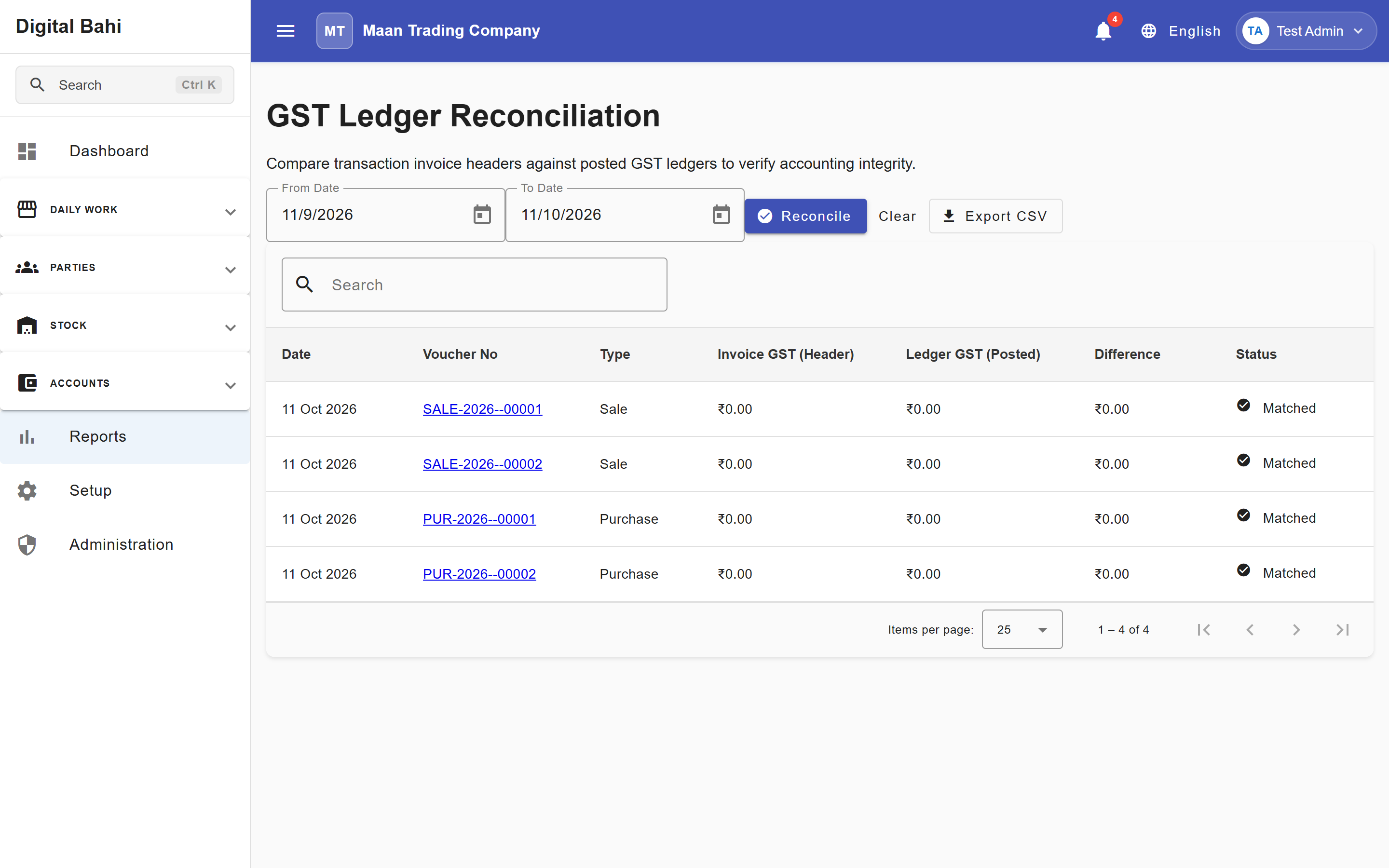
/reports/gst/reconciliation): Compares invoice-level Output and Input GST totals from your Sales and Purchases against your General Ledger GST accounts (Output GSTandInput GST) to ensure zero variance between commercial bills and accounting vouchers.
1. GSTR-2B Reconciliation (/reports/gst/gstr2b)
To claim Input Tax Credit accurately on GSTR-3B, the B2B purchases recorded in your books must match the invoices uploaded by your suppliers in GSTR-2B. Digital Bahi's reconciliation engine parses your GSTR-2B JSON file, prevents accidental duplicate file imports, matches portal documents against your book purchases within practical rounding/date tolerances, and groups discrepancies by status and supplier.
How to use GSTR-2B Reconciliation
- Download the monthly GSTR-2B JSON file from the official government GST portal.
- Open Reports > GST Tax > GSTR-2B Reconciliation (
/reports/gst/gstr2b). - Select the Financial Year and Month, then click Load.
- Choose your downloaded
.jsonfile (optionally checking Replace existing import for this month) and click Upload JSON:- Duplicate File Protection: Digital Bahi checks the file fingerprint automatically. If the exact same JSON file was already imported for that period, it prevents an accidental duplicate import unless you explicitly check Replace existing import for this month.
- Review the status summary cards, supplier summary, and line-by-line matching results.
- Investigate any mismatched rows and use the Export CSV button to share the reconciliation worksheet with your Chartered Accountant.
Tolerance Matching & Match Statuses
Digital Bahi automatically pairs supplier GSTINs and invoice numbers, allowing a ₹0.01 amount rounding tolerance and a 3-day invoice date tolerance before flagging a discrepancy. Each invoice is classified into one of 8 statuses:
| Match Status | Meaning |
|---|---|
| Matched | Supplier GSTIN, invoice number, taxable amount, and GST amounts match between your books and GSTR-2B. |
| Amount Mismatch | Taxable value or invoice total differs beyond the ₹0.01 rounding tolerance. |
| GST Mismatch | CGST, SGST, or IGST amounts differ between your purchase entry and the supplier's filing. |
| Date Mismatch | Invoice dates differ beyond the 3-day tolerance window. |
| Book Only | Purchase is recorded in Digital Bahi, but the supplier has not uploaded it in GSTR-2B. |
| GSTR-2B Only | Supplier uploaded the invoice in GSTR-2B, but no matching Purchase Bill was found in your Digital Bahi books. |
| Duplicate | Duplicate document detected in the import set. |
| Review Required | General discrepancy requiring accountant review before claiming ITC. |
2. GST Ledger Reconciliation (/reports/gst/reconciliation)
Open Reports > GST Tax > GST Reconciliation (/reports/gst/reconciliation), select your Start Date and End Date, and click Load to verify that Output GST (Invoices) equals Output GST (Ledger) and Input GST (Invoices) equals Input GST (Ledger) with ₹0.00 variance.