Users, My Profile & Administration Centre
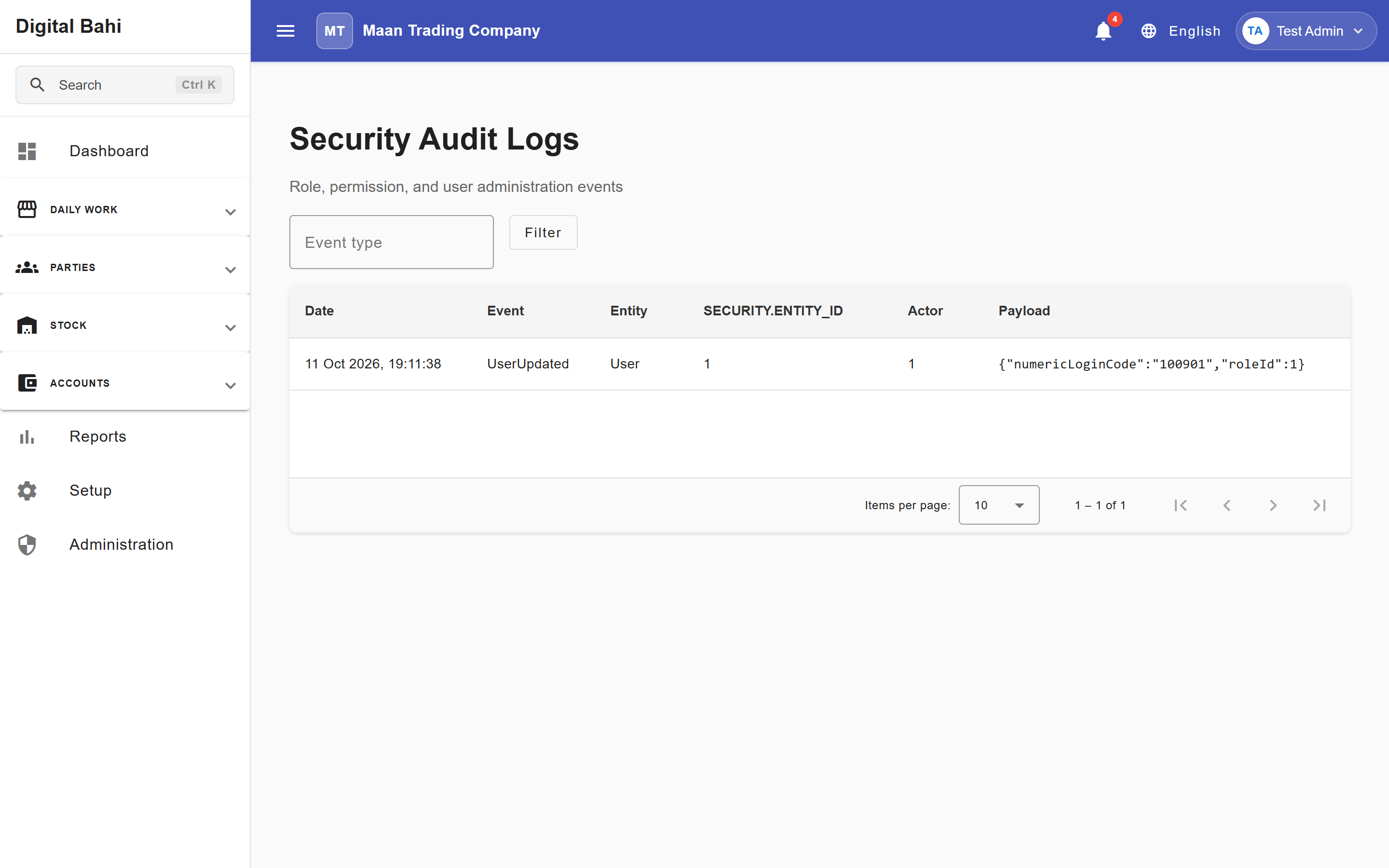
The Administration hub (/administration) and Users screen (/user) allow business owners and administrators to manage staff accounts, assign roles, review security audit logs, and control who can access your Digital Bahi workspace.
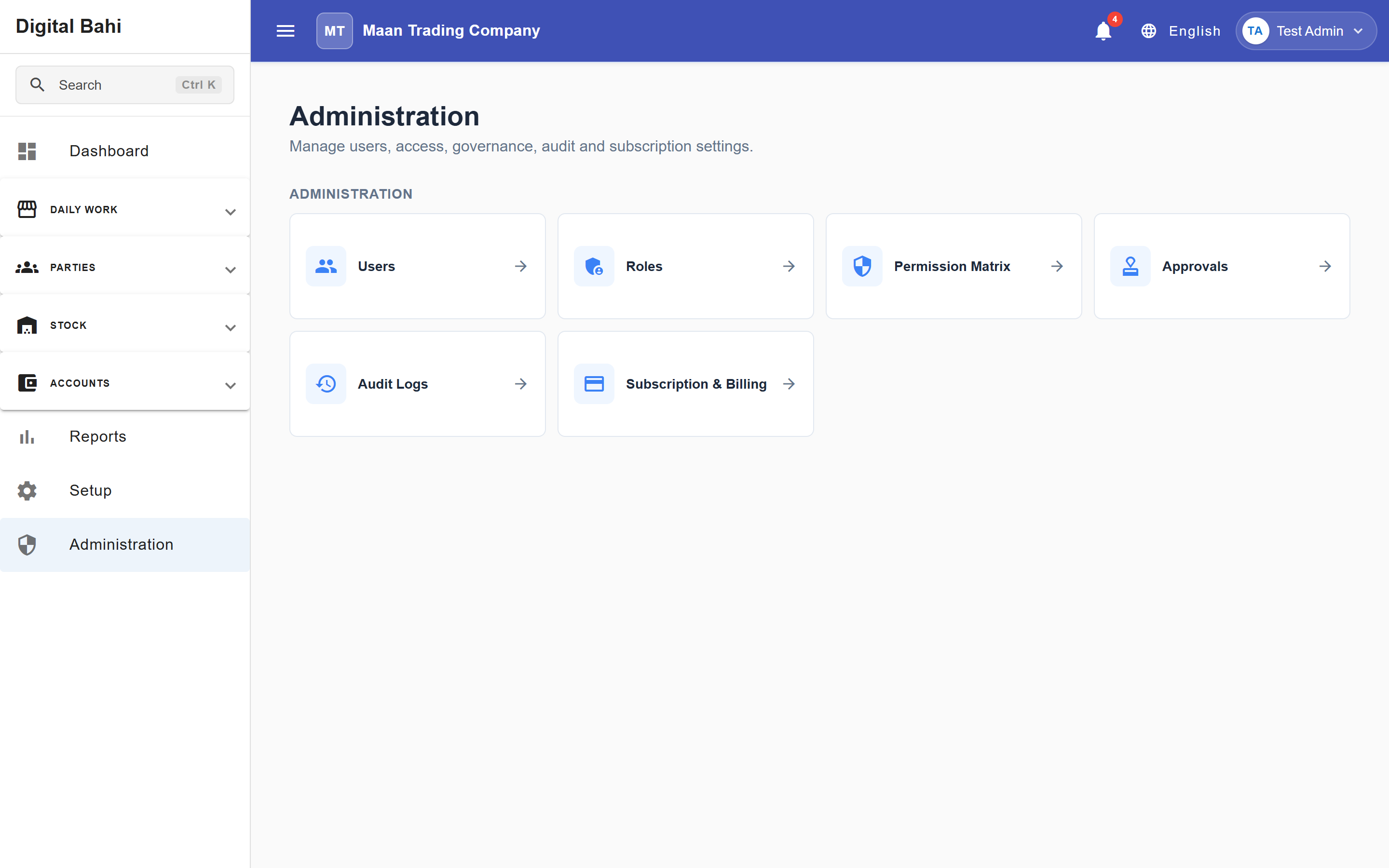
Administration Centre (/administration)
Digital Bahi provides a unified Administration hub that brings together all security, governance, and billing controls in one place:
- Users (
/user): Create, edit, and archive staff logins. - Roles (
/security/roles) & Permission Matrix (/security/permissions): Configure role templates and module permissions. - Approvals (
/accounts/governance): Manage multi-level voucher approval rules and pending approvals. - Audit Logs (
/security/audit-logs): Review chronological security, role/permission, and operational audit trails. - Subscription & Billing (
/billing/overview): Manage plans, usage limits, invoices, and payment history.
Viewing Users
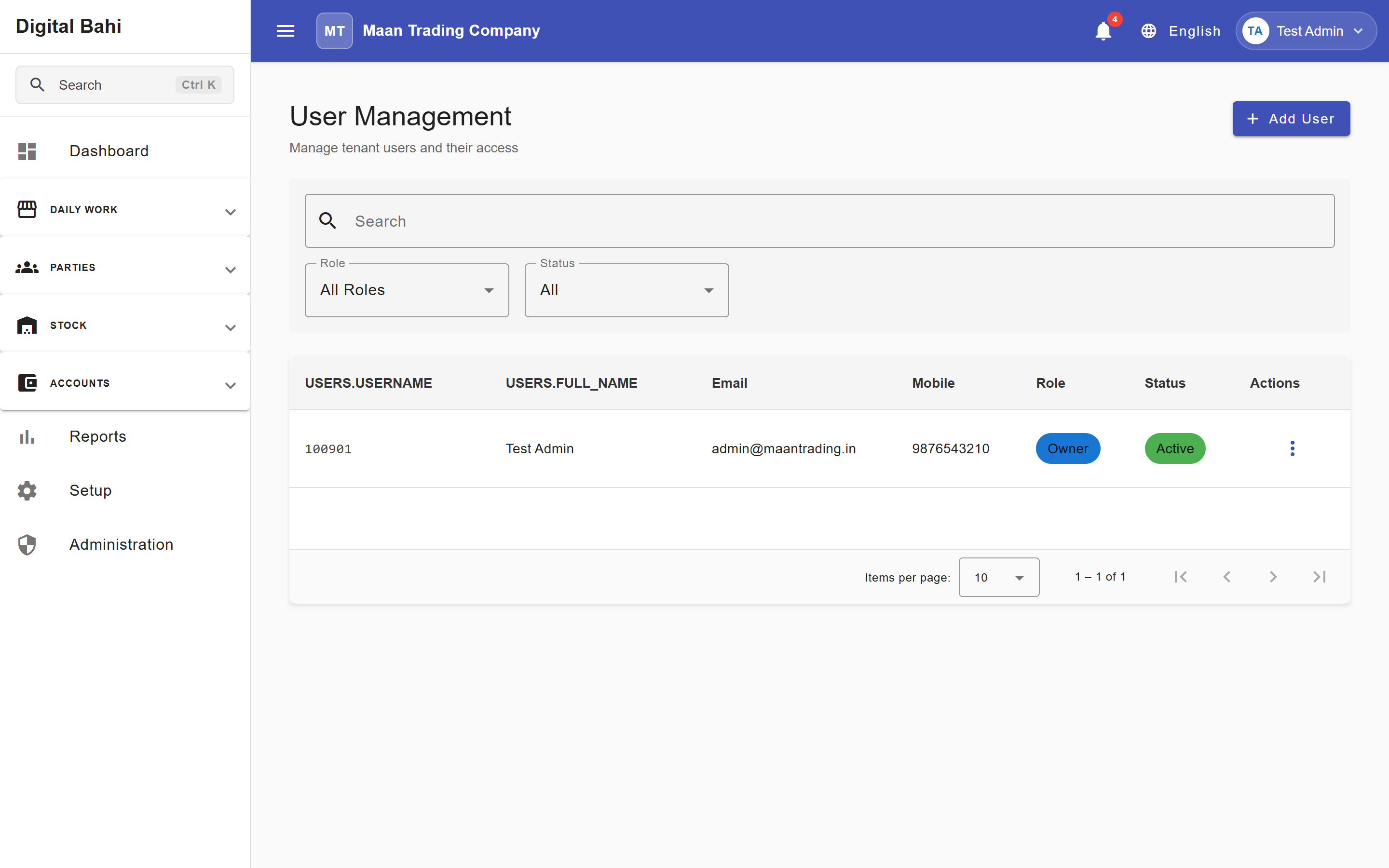
- Open Administration > Users (
/user). - View the directory of users showing their Username (Numeric Login Code), Full Name, Email, Mobile, and assigned Role.
- Use the status filter tabs to view All, Active, or Archived users, or search by name/mobile.
Creating a User
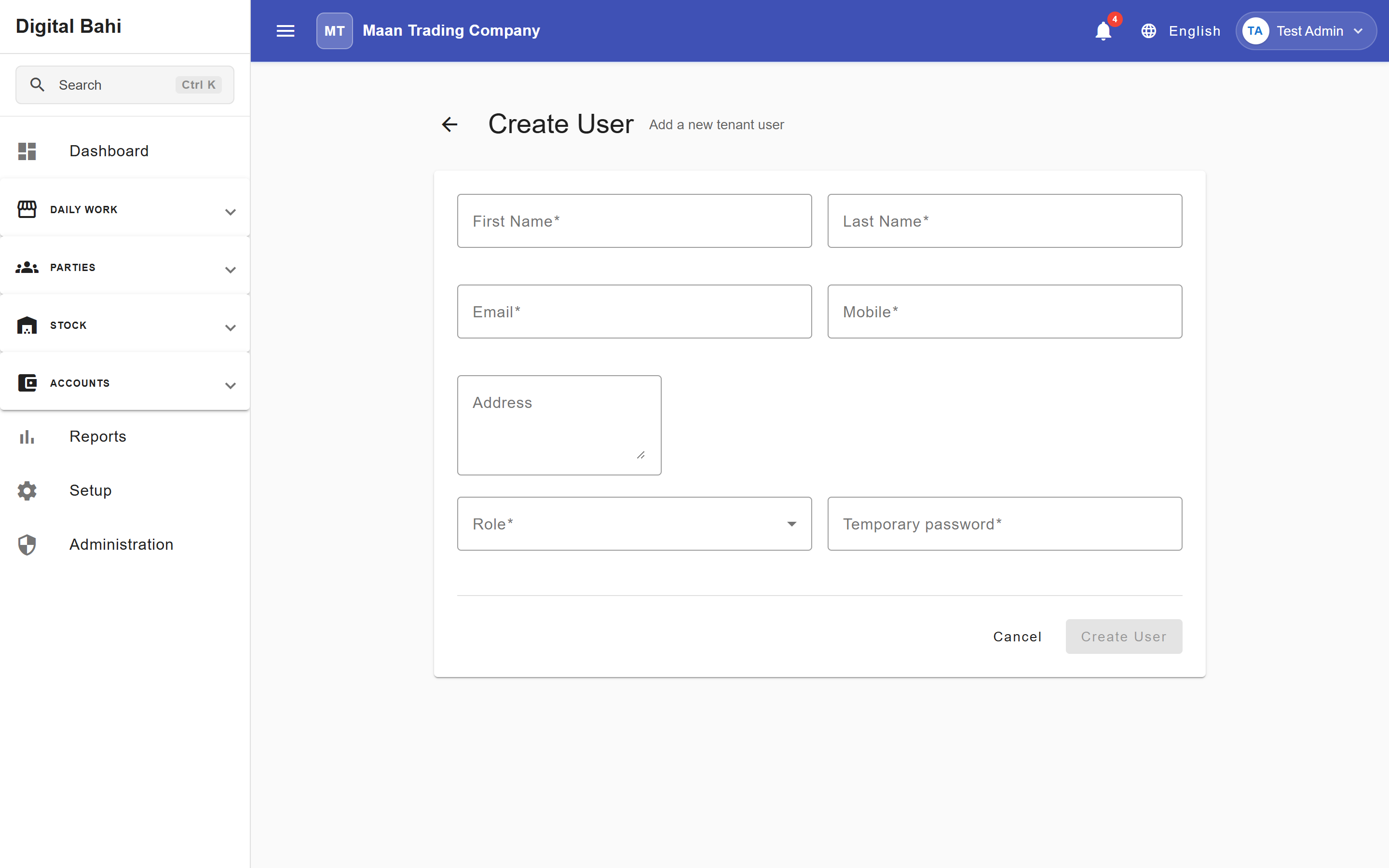
To add a new staff member (such as a munim, weighbridge operator, cashier, or accountant):
- Click + Add User in the top-right corner of Administration > Users.
- Fill out the required contact details: First Name, Last Name, Email, and Mobile.
- Provide an optional Address.
- Select a Role (such as
Manager,Accountant,Operator,Viewer, or a custom role). - Set a Temporary password for their initial login and click Create User.
Editing and Archiving Users
- Click Edit on any user row to update their contact details or change their assigned Role (permission updates take effect immediately).
- When an employee leaves your business, revoke their access by clicking Archive:
- An Archived user can no longer sign in to Digital Bahi.
- All historical vouchers, arrivals, and audit logs created by that user remain intact for your accounting records.
- You can restore their access later from the Archived filter tab.
Managing Your Personal Profile (/settings/my-profile)
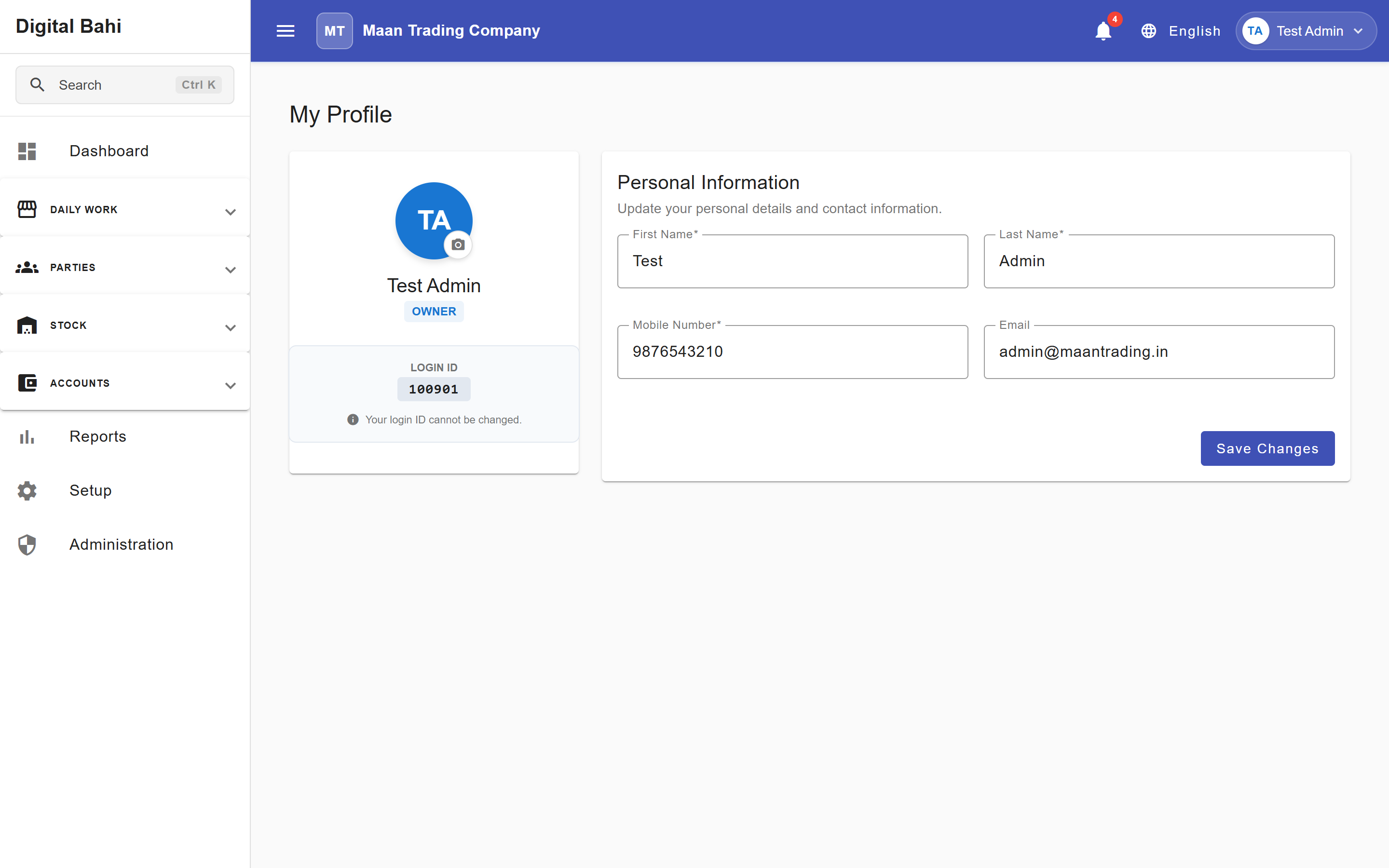
Click your user avatar in the top-right header and select My Profile (/settings/my-profile) to view your assigned Role, your immutable Login ID, and update your personal First Name, Last Name, Mobile Number, or Email, then click Save Changes.
Security Audit Logs & Support ("View As") Sessions
- Security Audit Logs (
/security/audit-logs): Authorized administrators can filter by Event type and inspect chronological role, permission, and user administration events across the workspace. - Read-Only Support Sessions: If Digital Bahi Support assists you via a temporary View As session, the session is strictly Read-Only—support staff can view screens to diagnose an issue, but both the browser and server block any attempt to create, edit, or delete data, and any write attempt is recorded in the audit log.